
Trace Studio
Draw pictures you love on paper.
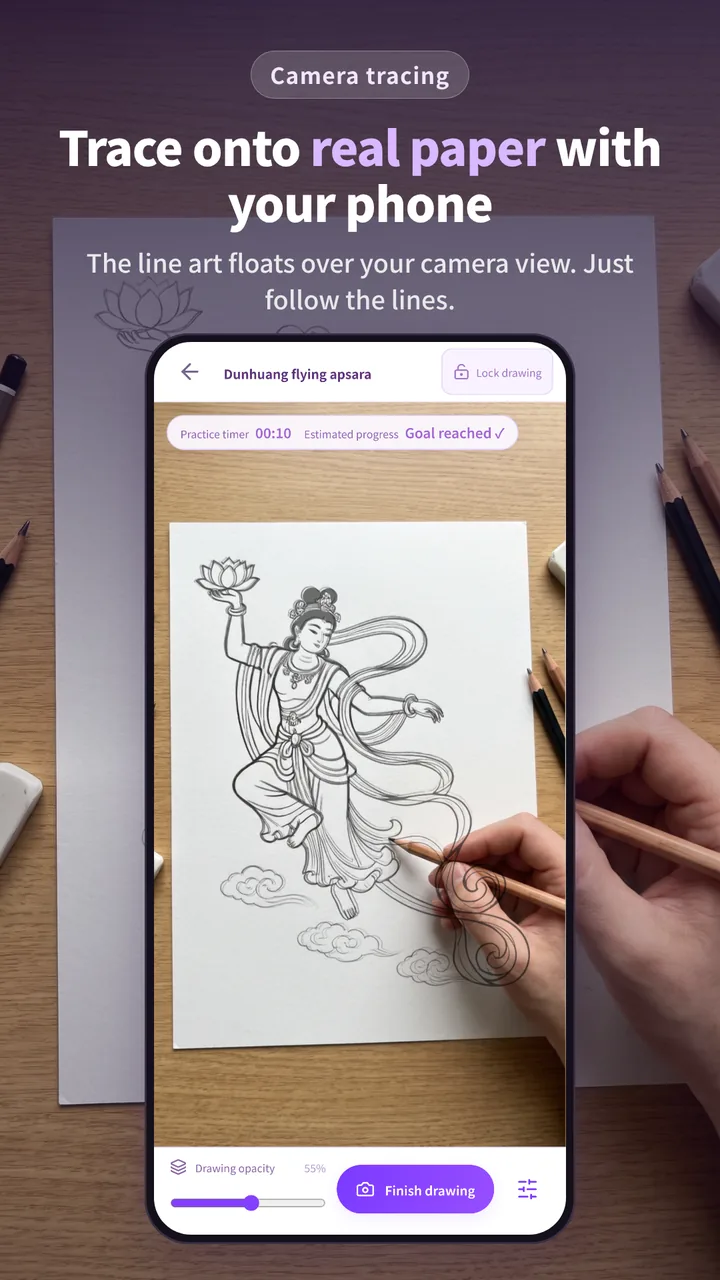
Trace Studio is a drawing app for drawing on real paper: mount your phone above the page, follow line art laid over the live camera view, and learn with 100+ curated outlines, step-by-step lessons, photo to sketch and AI line art.
Trace Studio at a glance
- What it is
- A camera tracing app: follow line art on screen while you draw on real paper. Listed as “Trace Studio: AR Drawing” in the app stores
- Platforms
- Android phones and tablets on Google Play (Art & Design, rated Everyone) and a web studio at app.tracejoy.app; iPhone and iPad coming soon to the App Store
- Price
- Free to draw, with 2 free AI credits a day. Pro (monthly or yearly) adds Spatial AR, process recording and monthly AI credits; AI credit packs sold separately. Purchases are open on Android
- Drawings
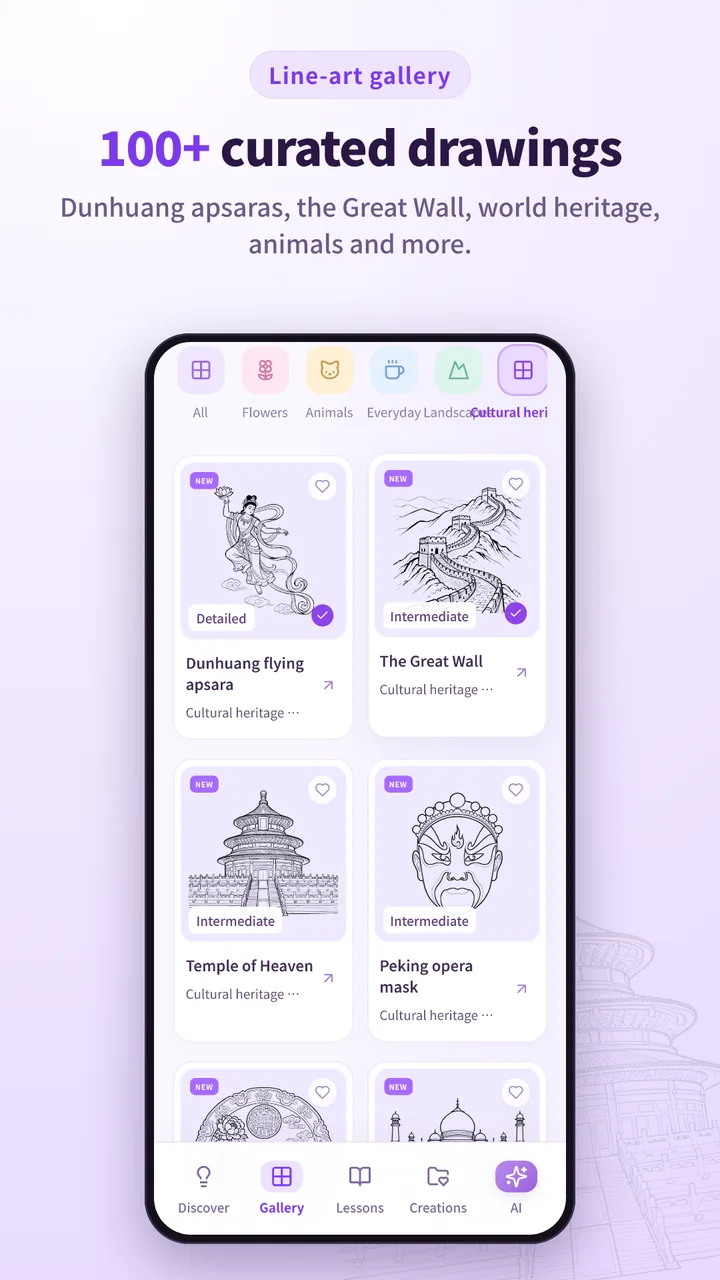
- 100+ curated outlines in 12 themes, from flowers and animals to cultural heritage such as Dunhuang flying apsaras and the Great Wall, plus 5 lessons
- Privacy
- Photo to sketch, practice feedback and saved work stay on your device; analytics are optional and off by default
- Languages
- English, Simplified Chinese, Spanish and Portuguese
- Made by
- NGMOB Pte. Ltd., Singapore
What Trace Studio is
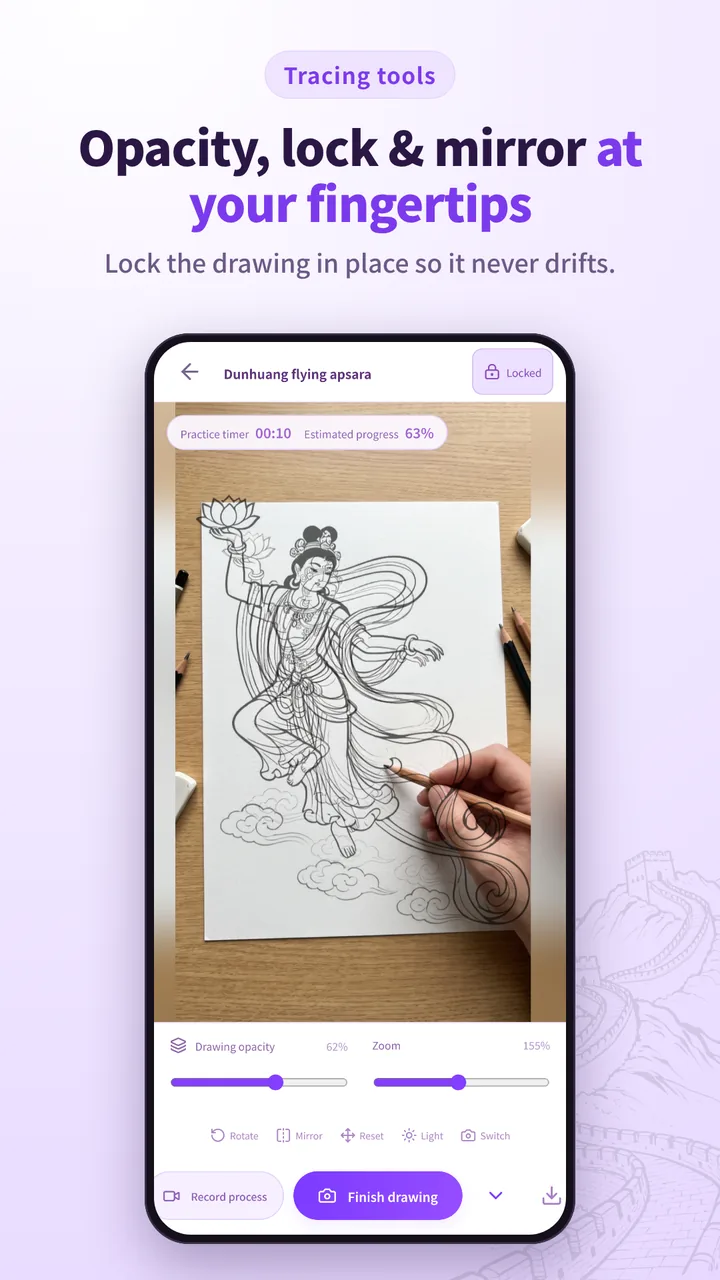
Trace Studio is for anyone who wants to draw something they love on real paper. Pick an outline, mount your phone above the page and follow the reference on your screen over the live camera view, one pencil stroke at a time. The phone does not project anything onto the paper; you look through the screen. Opacity, zoom, rotate, mirror and lock keep the outline exactly where you want it.
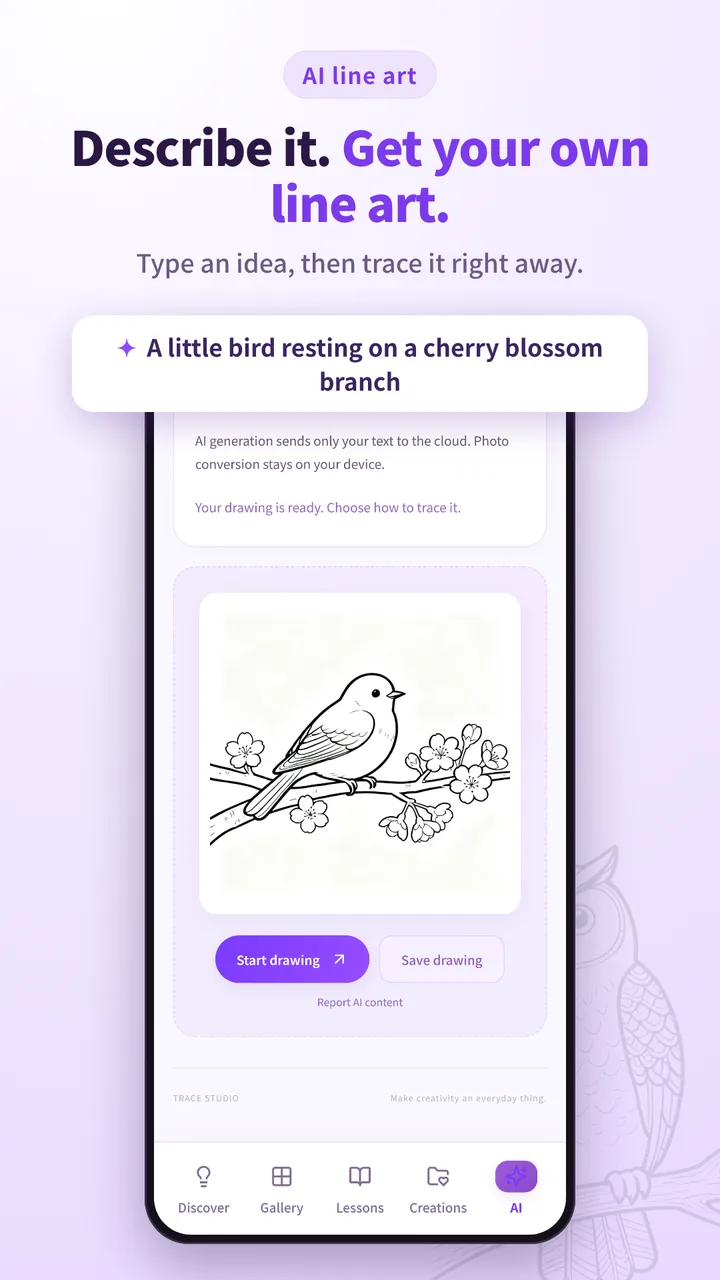
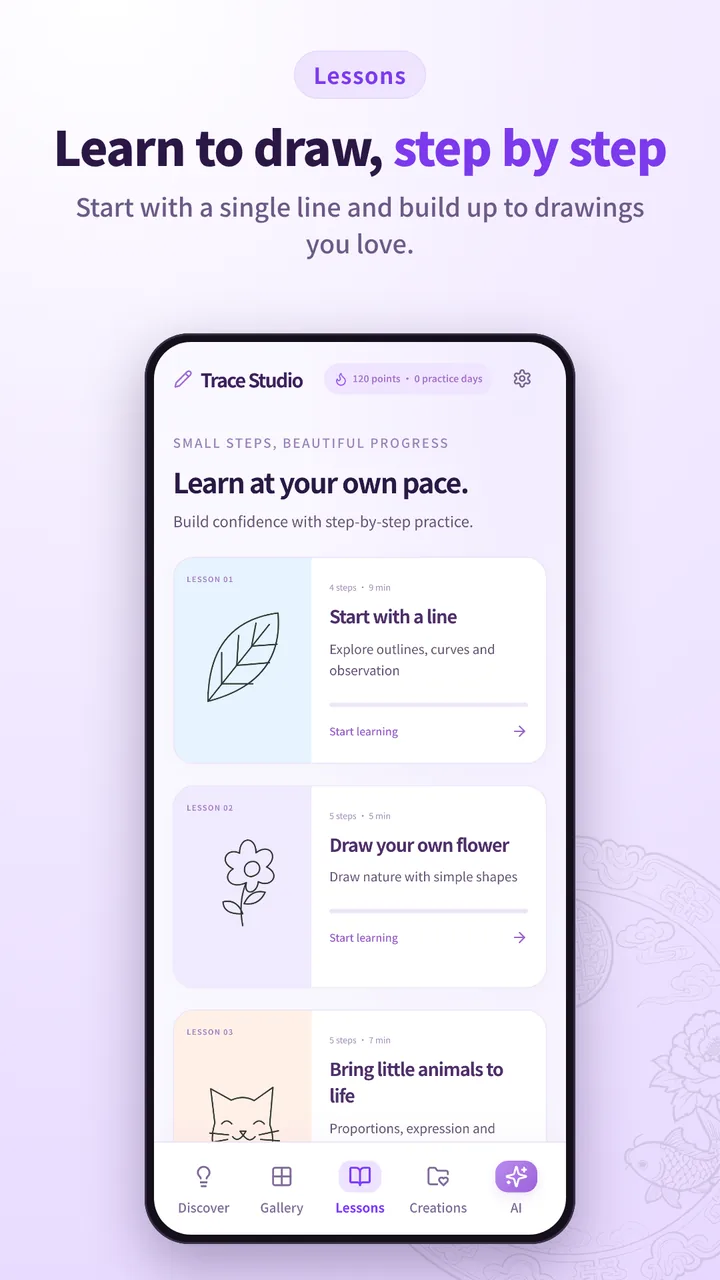
Outlines come from three places: a gallery of 100+ curated drawings in 12 themes, from flowers, animals and landscapes to cultural heritage such as Dunhuang flying apsaras, the Great Wall and Peking opera masks; your own photos, turned into outlines on your device; or an idea you describe to the AI studio, which creates an original outline with Floniks. New drawings arrive without an app update, and five short lessons, such as Start with a line and Draw your own flower, teach the basics.
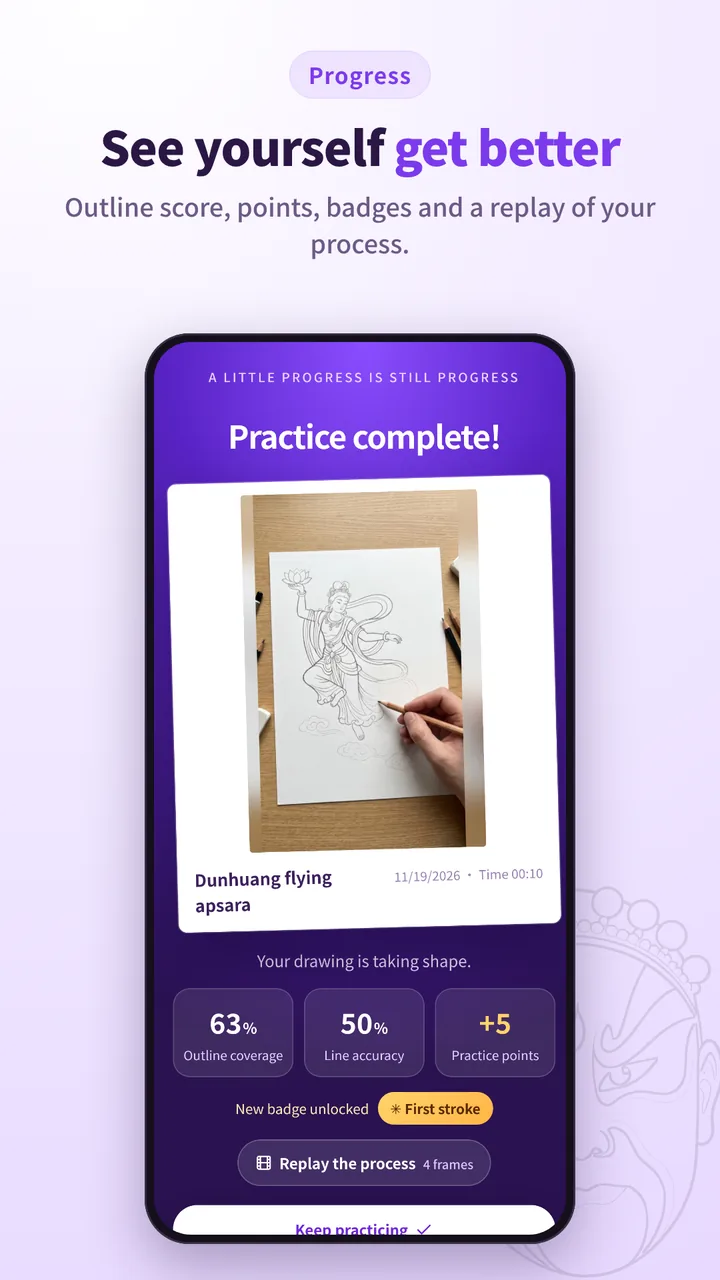
After each drawing Trace Studio scores your outline coverage and line accuracy, awards points and badges, and can replay your process as a time-lapse. Your work stays yours: photo conversion, practice feedback and saved creations are handled on your device, and analytics stay off unless you turn them on.
- curated outlines to trace
- 100+curated outlines to trace
- drawing themes
- 12drawing themes
- step-by-step lessons
- 5step-by-step lessons
- photos uploaded to make an outline
- 0photos uploaded to make an outline
What you can do with Trace Studio
- Camera tracing
- Line art floats over the live camera view of your paper; adjust opacity, zoom, rotate, mirror and lock it so it never drifts.
- 100+ curated drawings
- Twelve themes, including flowers, animals, landscapes, festivals, journal doodles and cultural heritage, marked Beginner, Intermediate or Detailed.
- Photo to sketch
- Turn your own photo into an outline, converted on your device.
- AI line art
- Describe an idea, such as a little bird on a cherry blossom branch, and get an original outline generated with Floniks.
- Step-by-step lessons
- Short lessons that build from a single line to flowers, little animals and everyday things.
- Progress you can see
- An outline score after every drawing, points, badges, practice days and a time-lapse replay of your process.
Who Trace Studio is for
- Beginners who think they can’t draw
- No art classes needed: the outline guides every stroke, so a first drawing can be one you are proud of.
- Hobby artists who want to improve
- Lessons and the outline score show progress from a single line to a finished picture.
- Journalers and card makers
- Neat outlines for planners, bullet journals, gift tags and handmade cards.
- Painters and crafters
- Get shapes and proportions right first, then paint, colour, embroider or decorate in your own style.
- Anyone who wants a calm break
- Ten quiet minutes with a pencil and something lovely to draw.
- Fans of art and heritage
- Draw Dunhuang flying apsaras, the Great Wall, Peking opera masks and traditional patterns.
What people use Trace Studio for
A pet portrait from a photo
Turn a favourite photo into an outline on your device, then trace your cat or dog.
Cards and handmade gifts
Birthday, holiday and festival outlines for cards, posters and gifts you draw yourself.
Journal and planner pages
Small drawings, borders and patterns for planners and sketchbooks.
Learning to draw step by step
Start with a line, then flowers and little animals; each lesson builds one skill.
An idea with no reference
Describe it and the AI studio makes an original outline to trace.
A base for bigger pieces
Trace the composition first, then add your own shading, colour and details.
Trace Studio screens
Questions about Trace Studio
What is Trace Studio?
Trace Studio is a drawing app that helps you draw on real paper. You mount your phone above the page and follow line art laid over the live camera view. Outlines come from 100+ curated drawings, your own photos or AI, with step-by-step lessons for beginners.
Who makes Trace Studio?
Trace Studio is built by NGMOB Pte. Ltd., a software studio in Singapore. Its website is tracejoy.app.
Who is Trace Studio for?
Beginners who think they can’t draw, hobby artists who want to improve, journalers and card makers, painters and crafters who want accurate shapes before they paint, and anyone who wants a calm drawing break.
Do I need drawing experience?
No. The outline guides every stroke, so beginners can finish a picture on the first try. Lessons start with a single line, and an outline score shows how closely you followed the lines.
What do I need to use Trace Studio?
A phone or tablet with a camera, paper, a pencil, and a phone stand or a stack of books to hold the phone steady above the paper.
Does Trace Studio project the drawing onto my paper?
No. You look through your phone screen to follow a reference laid over the real camera view. A phone stand keeps the phone steady while you draw.
How much does Trace Studio cost?
Drawing is free, with 2 free AI credits a day. Trace Studio Pro, a monthly or yearly subscription, adds Spatial AR, process recording and monthly AI credits, and AI credit packs are sold separately. Purchases are open on Android; iPhone and iPad purchases arrive with the App Store release.
Is Trace Studio on iPhone and iPad?
The iPhone and iPad app is coming soon to the App Store. Until then, Trace Studio runs on Android through Google Play and in the browser at app.tracejoy.app.
How is Trace Studio different from a lightbox or a projector?
A lightbox needs a printed picture under thin paper, and a projector needs extra hardware and a dark room. Trace Studio needs only a phone: pick any outline, resize it on screen and draw on any paper.
Are my photos uploaded?
No. Turning a photo into an outline happens on your device. AI generation sends only the text prompt you choose to submit, which is processed by Floniks, and optional analytics never include your photos, drawings or prompts.
Facts last checked on 2026-11-19 against tracejoy.app. Built with Android and web app, Device camera, On-device photo-to-outline, Floniks, Cloudflare, RevenueCat.
Writing about Trace Studio
- Trace Studio: Draw on Paper with Your PhoneTrace Studio lays an outline over your phone’s camera view so you can draw it on real paper. The setup, the steps, 100+ outlines, 5 lessons and the AI studio.
- Twenty-Two Products, One Stack: The NGMOB LineupEighteen live products and four labs, from Tapestra and Cadre to Duomi, GlowFrame, CarbClue and LaunchKit: what each one does and where agents fit in.